

A long-standing recommendation is that the optimal WordPress featured image size is 1200 x 675, a 16:9 (landscape) aspect ratio.
However, the way images are presented in Google’s AI Overviews and AI Mode suggests a revised approach to featured image sizing.
The Shift in Featured Image Presentation
You may have noticed that in Google AI Overviews and AI Mode, 1:1 aspect ratio image thumbnails are displayed in the sources section on the right and in the hover popup. Only video thumbnails display as 16:9.

Traditional wide-angle featured images are cropped on the sides to fit the thumbnail’s 1:1 aspect ratio.

Ahrefs estimates that AI Overviews reduce click rates by 58% compared to the traditional ‘ten blue links’ search results. But there are still clicks to be had.
To enhance ‘click appeal,’ consider a 1:1 aspect ratio image with descriptive text. Make the image size at least 1200 x 1200 px – we’ve been using 1500 x 1500.
Also, think of the thumbnail as a messaging opportunity.
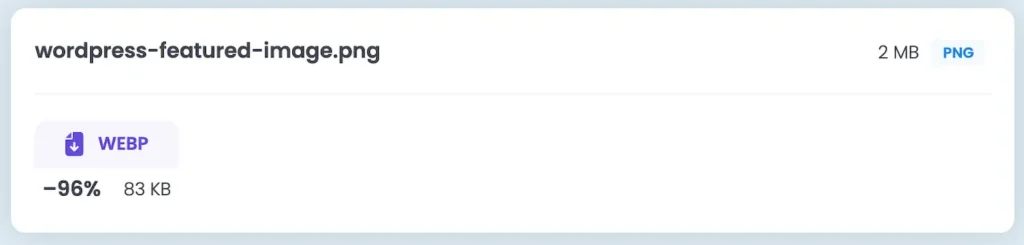
Tip: If you convert a 1200 x 1200 px PNG image to WebP using a site like TinyPNG, you’ll reduce the file size by over 85%. This will factor into page performance.
But it goes beyond click appeal. There’s a potential second-order effect.
When journalists research sources, some of which they may link to, an optimized, stylized thumbnail might catch their attention.
In other words, a more visually appealing, contextual thumbnail could help you organically acquire backlinks.
In our testing, we updated the featured image on an older article and subsequently organically acquired a backlink from a domain with a 96 Domain Rating. Coincidence?
The thumbnail is more colorful and contextual than the ones surrounding it.

Disabling Featured Image Display on Pages
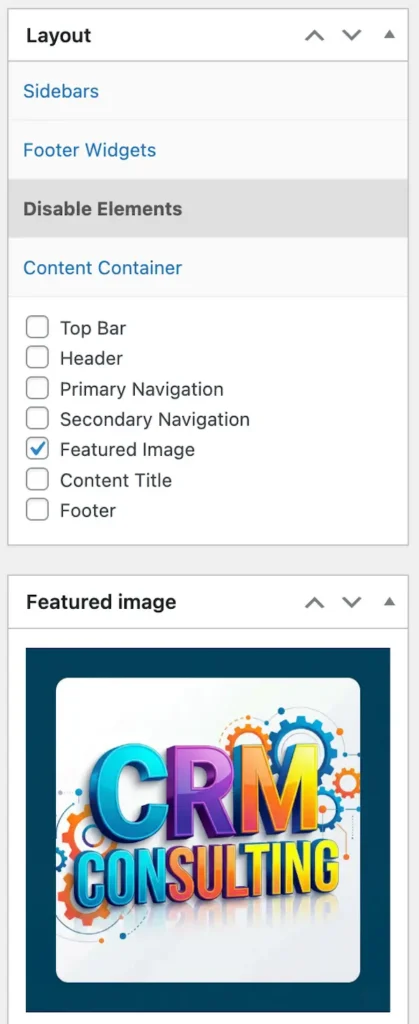
We also discovered through testing that you can add a featured image to a page’s structured data, but not display the image on the page if it doesn’t fit the page’s style.
This means you can add an ‘invisible’ featured image specifically intended for AI Overviews, AI Mode, and any other platform that may pick it up.
This is done by disabling the featured image in the layout via a theme option (if your theme supports it), via CSS, or using a plugin.
Creating Featured Images
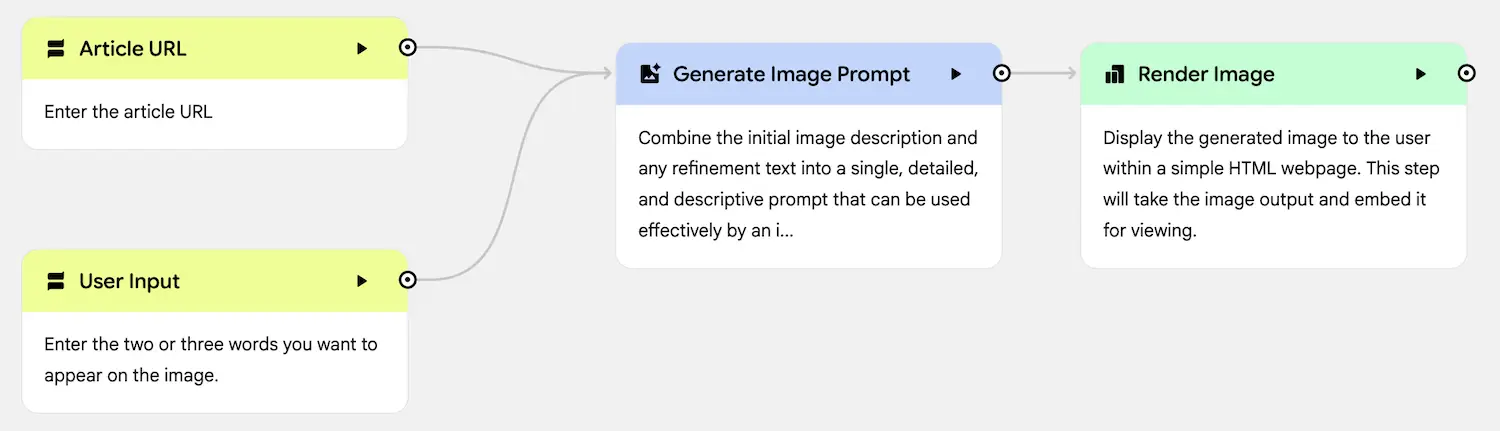
You can either manually create or AI-generate featured images.
We have used Google’s Nano Banana in both Gemini and Opal to generate colorful, attention-grabbing images.
What About Non-WordPress Sites?
If your website is based on a platform other than WordPress, you can use structured data to specify the primaryImageOfPage.
The primaryImageOfPage is a Schema.org property used in structured data to indicate which image is the main, featured, or representative image for a specific webpage. It corresponds to the WordPress featured image.
Here is an example script. Note that this is barebones structured data, and other information, such as authorship, could be added.
<script type="application/ld+json">
{
  "@context": "https://schema.org",
  "@type": "Webpage",
  "name": "A Great Post | Company Name",
  "description": "An excellent description of this great post.",
  "url": "https://www.company.com/great-post",
  "primaryImageOfPage": {
    "@type": "ImageObject",
    "url": "https://www.company.com/great-image.webp",
    "width": 1500,
    "height": 1500,
    "caption": "Great Post"
  }
}
</script>
Will optimizing your featured images for AI Mode and AI Overviews result in more clicks? Will it result in more quality backlinks?
This is something you can find out through experimentation and measurement.